
Everything in Pro, plus:
Productivity
Business Growth
Everything in Light, plus:
Productivity
Business Growth
Everything in Premium, plus:
Productivity
Business Growth
Look professional with a branded email address like you@yourbusiness.
Stay connected anywhere with webmail and apps for iOS and Android.
Keep your inbox safe with built-in spam filtering and virus protection.
Sync with your team and stay organised by keeping everyone on the same schedule.
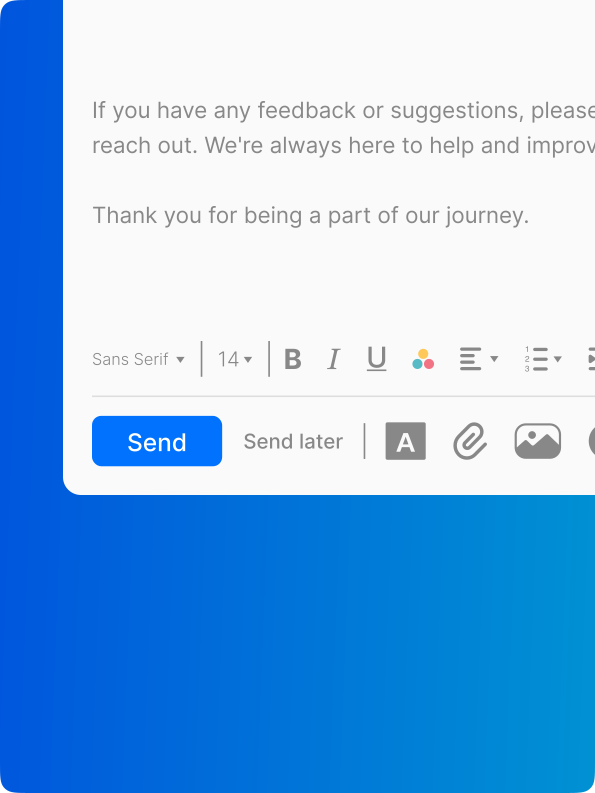
Create professional, eye-catching emails with easy drag-and-drop design tools.
Try any plan risk-free and choose the one that best fits your business needs.
Turn quick ideas into polished, on-brand messages ready to send in moments with the power of AI.
| Features | Pro Light | Pro Plus | Premium | Ultra |
|---|---|---|---|---|
| Email Storage | 10GB | 30GB | 50GB | 100GB |
| Webmail & Apps | ✔ | ✔ | ✔ | ✔ |
| Anti-Spam & Virus | ✔ | ✔ | ✔ | ✔ |
| Multi-account | ✔ | ✔ | ✔ | ✔ |
| Send Later | ✔ | ✔ | ✔ | ✔ |
| Turbo Search | ✔ | ✔ | ✔ | ✔ |
| AI Responses | 5 | 20 | Unlimited | Unlimited |
| Contact Groups | 1 | Unlimited | Unlimited | Unlimited |
| Email Templates | 1 | Unlimited | Unlimited | Unlimited |
| Read Receipts | 25 | Unlimited | Unlimited | Unlimited |
| Invoice Builder | 1 | 5 | Unlimited | Unlimited |
| Priority Inbox | ✔ | ✔ | ✔ | ✔ |
| Email Campaigns | ✔ | ✔ | ✔ | ✔ |
| Advanced Tracking | ✔ | ✔ | ✔ | ✔ |
| Signature Designer | ✔ | ✔ | ✔ | ✔ |
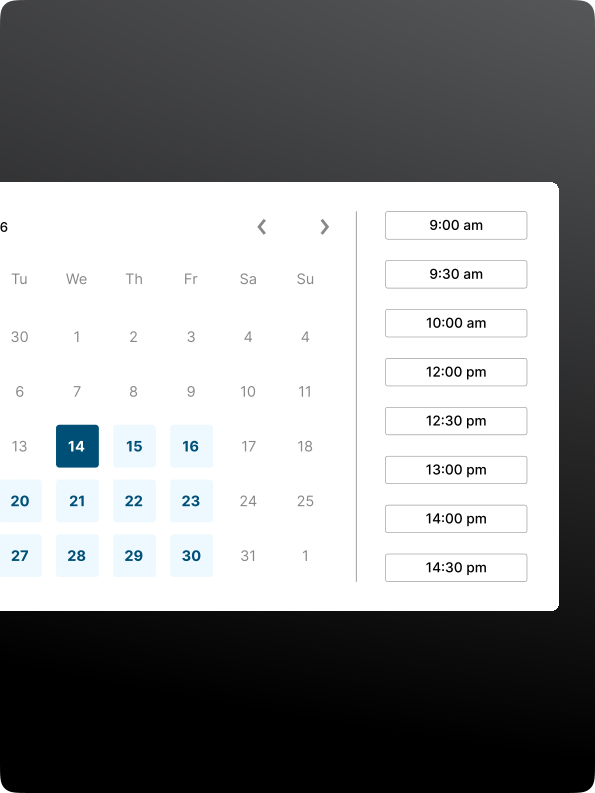
| Appointment Booking | ✔ | ✔ | ✔ | ✔ |
Our services power more than a million websites and are trusted by thousands of businesses across the UK.
Enjoy complete confidence with our money-back guarantee on all email plans.
If you ever need help, our expert team is ready to assist you via telephone or Live Chat.
Email Hosting gives you a custom, professional email address on a secure, ad-free platform. Instead of using a generic address like @hotmail.com or @yahoo.com, you can use an email that matches your business, such as @yourbusiness.com — helping your brand look more professional and trustworthy.
Email Hosting allows you to create multiple addresses for different purposes. For example, you could set up enquiries@yourbusiness.com for customer enquiries and another for existing customers.
You can manage all your email accounts from one central dashboard, where you can easily create new addresses, reset passwords, and access your emails from anywhere.
A to Z also provides generous storage space and easy-to-use tools to help you stay organised and in control of your communications.
A custom domain email address like yourname@yourbusiness.com gives your business a professional edge compared to generic email services like Gmail or Yahoo. It helps build trust and credibility from the very first message.
Customers feel more confident responding when they see your branded domain, as it reflects a serious and established business. Every email you send also reinforces your brand identity, helping increase recognition over time.
Depending on your plan, you may also benefit from extra storage and collaboration tools such as shared calendars. Professional email powered by Titan includes AI features and smart inbox tools to help you stay organised and productive.
Business email hosting gives you a professional email address that matches your brand, along with improved security, spam protection, and dedicated support.
Even if you run a small business or side hustle, having a custom email address can significantly improve how customers perceive your business online.
In contrast, free email services often include ads, limited storage, reduced features, and may offer slower performance compared to business-grade email hosting.
With no software to install and a simple setup process, your email can be ready to use within minutes.
There’s no limit to the number of email addresses you can create on your domain. You can add as many Titan mailboxes as you need and manage them all from your A to Z account.
Each mailbox is purchased separately, and you may also receive discounts when buying multiple mailboxes at once.
No, you can purchase a Professional Email powered by Titan package on its own. However, to use a custom email address, you will need a domain name.
If you don’t already have one, you can easily purchase a domain at the same time as your email package.
Yes. You can connect your Professional Email powered by Titan account to any email client that supports IMAP or POP, including:
For setup instructions, refer to: How do I add my mailbox to a third-party email client?
For more technical details, see: IMAP vs POP3
Email forwarding can be set up through your A to Z Control Panel. You’ll need at least one active Titan mailbox on your domain before you can create a forwarder.
Email forwarding is available on Pro Plus, Premium, and Ultra plans.
For more details on email forwarders and setup instructions, see: Email forwarding explained.
Yes. All Titan email accounts include SPF, DKIM, and DMARC authentication to help verify legitimate emails and protect against spoofing and phishing.
Yes, you can! Migrating your business email from another provider to A to Z is simple and straightforward.
To get started, you’ll need your current email provider’s details, including IMAP or POP server settings, along with your username and password. This helps ensure your emails, contacts, and history are transferred correctly.
Once you have this information, the migration process is easy:
After that, the migration is handled for you, and you can monitor the process in real time with no interruption to your business.
A terabyte (TB) offers a massive amount of storage — enough for thousands of documents, hours of video, and a large number of images.
It provides more than enough space for most growing businesses to store important files without worrying about running out of storage.
Yes. You can upgrade to a higher Email powered by Titan plan at any time if you need more storage or additional features. Upgrades can be managed directly from your A to Z account.
Yes. Email powered by Titan works on any device with an internet connection, allowing you to access your emails wherever you are.
You can also use the Titan Mail app on iOS and Android, or connect your mailbox to your device’s built-in email app.
Yes. Spam filtering is included to help keep unwanted emails out of your inbox. You can also adjust your spam settings based on your preferences.
Titan’s built-in protection helps block spam, viruses, worms, and other malicious emails before they reach your inbox.
Even with these safeguards in place, it’s still important to stay cautious when opening email attachments or links.
AWESOME HELP!

Paul A
AWESOME HELP!
Paul A
AWESOME HELP!
Paul A